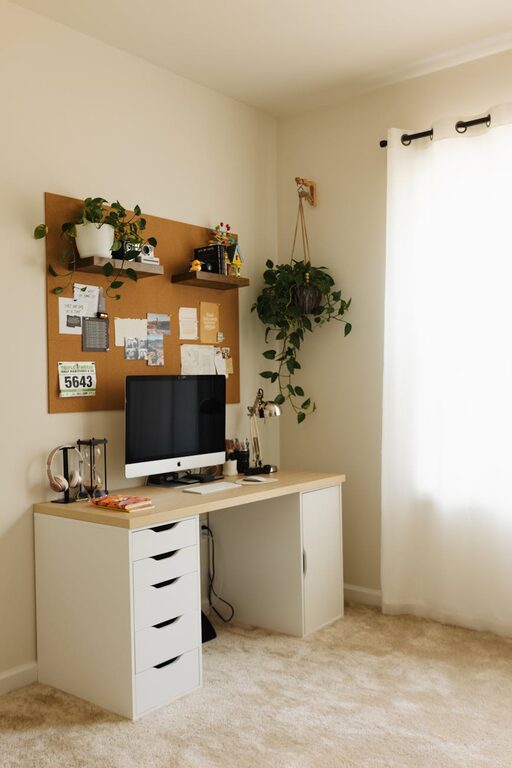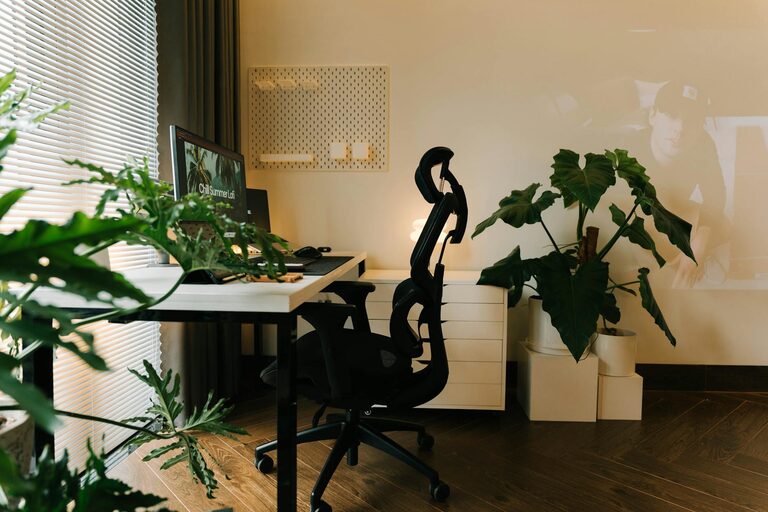
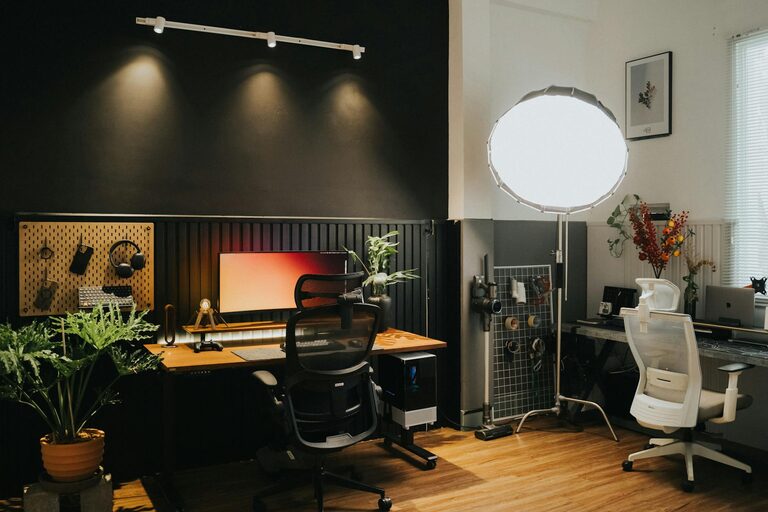
Creating a home office space that feels cozy and functions well can make a big difference in your workday. Whether you work from home full-time or occasionally, having a dedicated area that encourages focus and comfort is key. Here are some practical tips to help you design a home office that suits your needs.
Choose the Right Location
Consider Natural Light
Pick a spot with good natural light if you can. Sunlight improves mood and reduces eye strain. Position your desk near a window, but avoid glare directly on your screen.
Minimize Distractions
Try to select an area away from the busiest parts of your home. This helps you stay focused and limits background noise.
Think About Space
Ensure the area is spacious enough for your desk, chair, and any other equipment you use regularly. You don’t want to feel cramped.
Invest in Comfort and Ergonomics
Select a Supportive Chair
A comfortable, ergonomic chair supports good posture and prevents back pain. Adjustability is important so you can customize the height and angle.
Use an Adjustable Desk
If possible, consider a desk that allows you to alternate between sitting and standing. This can reduce fatigue and improve circulation.
Position Your Equipment Properly
Your monitor should be at eye level to avoid neck strain, and your keyboard and mouse should be within easy reach.
Organize Your Workspace Smartly
Declutter Regularly
A tidy desk frees your mind and helps you focus. Keep only essentials within arm’s reach and store other items away.
Use Storage Solutions
Shelves, filing cabinets, or bins can help keep papers and supplies organized. Labeling containers makes it easier to find things.
Create Zones
If your space allows, set up different zones—for example, one for computer work and another for reading or brainstorming.
Add Personal and Cozy Touches
Incorporate Soft Textiles
Add a rug, cushions, or curtains to warm up the space. These elements make your office feel inviting.
Choose Pleasant Colors
Soothing colors like soft blues, greens, or neutrals promote calmness, while accents of your favorite colors can keep the space lively.
Bring in Plants
Plants improve air quality and add a natural touch that many find relaxing. Choose low-maintenance varieties if you’re new to indoor gardening.
Optimize Lighting
Combine Natural and Artificial Light
Use a mix of overhead lighting and task lamps. Adjustable desk lamps allow you to focus light where you need it most.
Avoid Harsh Lighting
Opt for warm or neutral light bulbs rather than bright white or fluorescent lights which can be tiring to the eyes.
Incorporate Technology Thoughtfully
Manage Cables
Use cable organizers or clips to keep cords neat and prevent tangling.
Invest in Good Equipment
A reliable computer, headset, and fast internet connection make your work smoother and less frustrating.
Use Noise-Canceling Tools
If background noise is a problem, consider noise-canceling headphones or white noise machines to stay focused.
Establish a Routine and Boundaries
Set Clear Work Hours
Even at home, having set times for working helps create a boundary between professional and personal life.
Schedule Breaks
Take short breaks to stretch or walk around. This prevents burnout and keeps energy levels up.
Communicate Your Space Needs
If you share your home, let others know when you’re working and need quiet.
Keep It Flexible
Your needs may change over time, so design your space to be easily adaptable. Modular furniture or mobile storage units can help you rearrange as necessary.
—
Creating a cozy and functional home office is about balancing comfort with productivity. By focusing on your environment, furniture, organization, and personal touches, you can make your workspace a place where you enjoy spending time and getting things done. Take small steps and adjust as you go along to find what works best for you.
About the Author